
Text to ASCII art: FIGlet banners in 12 fonts
Type a word, pick a font, and get a classic ASCII text banner - the kind that tops a README, a terminal login or a block of source code. Twelve FIGlet fonts are built in, from compact Small to blocky ANSI Shadow.
Same converter, same colors and exports as an image, and it all runs in your browser.
    __  __     ____
   / / / /__  / / /___
  / /_/ / _ \/ / / __ \
 / __  /  __/ / / /_/ /
/_/ /_/\___/_/_/\____/
How to make a text banner
- Switch the source to text. In the converter, set Make art from to Text - a FIGlet banner.
- Type your text. Letters, numbers and punctuation - up to 60 characters. Short words make the best banners.
- Pick a font. The banner redraws as you switch, so trying all twelve takes seconds.
- Color it. A banner is drawn in one ink: your Text color on your Background, or Black on white, or White on black. Turn on Transparent for no background at all.
- Export it. Copy the text, download it as .txt or .md, or as a PNG or SVG image, or as an ANSI file or shell script for a terminal.
All 12 fonts
Every font below spells the same word. Each link opens the converter with that font selected - then type your own text.
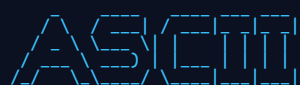
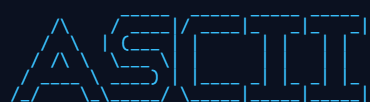

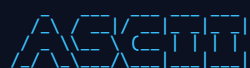

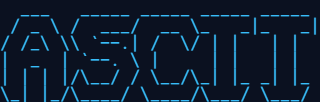
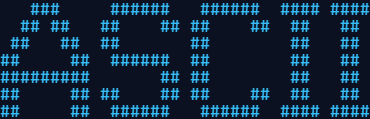
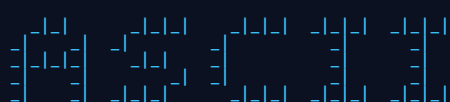
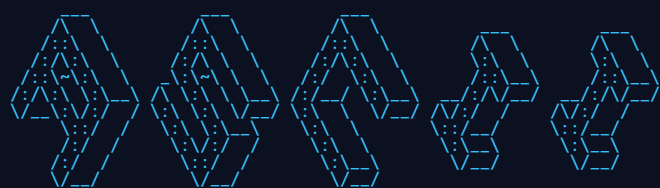



Narrow fonts (Small, Slant, Standard) keep a long word under 80 columns; tall ones (Isometric1, Larry 3D) make a statement but need short words.
Where text banners get used
- Source code headers
- A banner in a comment block marks the top of a file or a section, and survives every editor and diff tool because it is plain text.
- README files
- A project name as a banner, inside a fenced code block, renders on every code host. See the README guide.
- Command line tools
- The startup screen of a CLI or a game - print the banner once when the tool starts.
- Terminal and SSH logins
- The server's name, big, when someone logs in. See the terminal guide.
- Chat and forums
- Inside a code block, a banner keeps its shape anywhere that uses a monospace font. See the Discord guide.
A banner in a source file
Export as text, then wrap it in your language's comment syntax. In JavaScript, C, Java or CSS:
/*
 *      _          _
 *   __| |___ _ __| |___ _  _
 *  / _` / -_) '_ \ / _ \ || |
 *  \__,_\___| .__/_\___/\_, |
 *           |_|         |__/
 */
For Python, shell or YAML, start each line with # instead. Keep the banner under 80
characters wide so it never forces a horizontal scroll in a code review.
What is FIGlet?
FIGlet is a program for making large letters out of ordinary characters. It was written in 1991 by Glenn Chappell and Ian Chai, and the name stands for Frank, Ian and Glenn's Letters. Its font format - FLF - describes each letter as a small block of characters, plus rules for how neighboring letters may overlap, which is why FIGlet text looks set rather than stamped.
Hundreds of FIGlet fonts exist; the twelve here were chosen to cover the useful range, from compact to heavy. The converter loads a font only when you pick it, so the page stays fast.
Questions about text banners
- Which characters can a banner use?
- Printable ASCII - letters, digits and the usual punctuation. FIGlet fonts have no glyphs for accented letters or emoji, so those are left out of the banner rather than drawn as gaps.
- Can a text banner be in color?
- Yes, in one color: set the Text color and Background in the Color section, or use Black on white or White on black. The PNG, SVG, HTML and ANSI exports all keep it.
- Why does my banner look broken when I paste it?
- FIGlet banners need a monospace font and must keep every space. Paste into a code block, or a field that uses a monospace font, and turn off anything that trims or wraps lines.
- Can I use a banner commercially?
- The banner you make is yours to use. The FIGlet fonts themselves are distributed freely with the FIGlet project; if you plan to resell a font, check that font's own notes first.
More guides
- Image to ASCII - photos, logos and illustrations, and the settings for each
- ASCII art for a GitHub README - your logo as text in a README
- Terminal and SSH login banners - ANSI color banners for MOTD and your shell
- ASCII art for Discord - art that fits a message and a phone screen
- Examples - before and after, with the settings behind each
- FAQ - privacy, formats, licensing and troubleshooting